EASY CUSTOMIZATION
 FREE GROUND SHIPPING OVER $99
 SAFE AND SECURE
-

Print Smarter, Move Faster: Magicard ID Printers for Parks, Resorts, and Events December 17, 2025
-

5 Ways RFID Wristbands Help Amusement Parks Manage Guests October 21, 2025
-

How Wristbands Improve Swimming Safety and Save Lives October 20, 2025
-

How RFID Wristbands Work, Decoded October 17, 2025
-
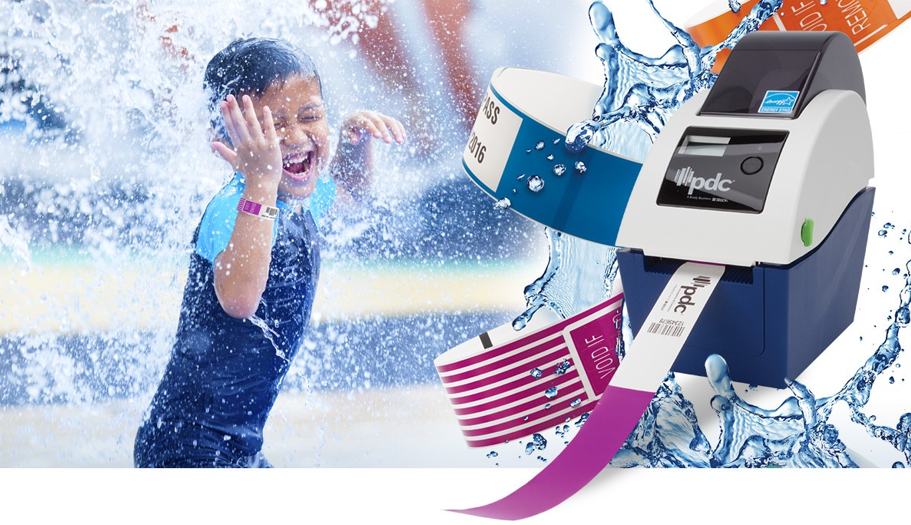
Four Ways Thermal Wristbands Make Your Life Easier July 29, 2025

What is a Direct Thermal Wristband Printer? FAQs for Resort, Theme Park, and Festival Operators

Theme park and resort operators use thermal wristband printers to streamline admissions, enhance security, and sharpen marketing.
To get started with on-demand thermal wristband printing, we’ve compiled frequently asked thermal wristband printer questions into five sections:
- Thermal Wristband Printer General Information
- Getting Started with Your Thermal Printer
- Wristband Customization
- Thermal Wristband Printer Uses
- Thermal Printer Maintenance and Support
1. Thermal Wristband Printer General Information
What is a thermal printer, and how does thermal wristband printing work?
A thermal printer works by using heat, not ink, to create images on heat-sensitive material—most receipts print this way. In direct thermal wristband printing, a printhead heats tiny dots on a wristband’s special thermal coating. Activated spots darken, creating logos, text, and barcodes without ink or toner cartridges.
- Cartridge-free thermal printing reduces consumable waste versus most traditional printers.
Do I need special wristbands for my thermal wristband printer?
Yes, you need direct thermal wristbands, such as ScanBand® S, for ink-free wristband printing because their heat-reactive coating creates logos and data.
- Plastic, vinyl, or Tyvek® wristbands won’t work in thermal printers unless specifically made for direct thermal technology.

How fast do thermal wristband printers print, and what kind of print quality can I expect?
PDC’s thermal wristband printer is fast, printing up to five inches per second. A typical wristband prints in two seconds, and our thermal wristband printer features an integrated cutter for removal.
- While design complexity and printer settings affect speed, direct thermal printing consistently delivers high-contrast data that staff can read quickly and scan reliably.
2. Getting Started with Your Thermal Printer
Can thermal wristband printers work with my existing systems, and what connectivity is supported?
Thermal wristband printers can integrate with many ticketing, access control, and guest management systems that support label or wristband printing. Most wristband printers have office-standard USB 2.0 and Ethernet interfaces; networked printers can receive commands from multiple devices.
What do I need to get started printing thermal wristbands?
To start printing thermal wristbands, you’ll need a compatible thermal wristband printer, direct thermal wristbands, a Windows® PC, and the included BarTender® UltraLite design software and printer driver.
Install the printer driver, connect the printer via USB or Ethernet, load a wristband reel, open a BarTender® template, and print a test band. After that, intuitive interfaces guide staff in customizing and printing.
- Please note: BarTender® is Windows only; macOS isn’t supported.
3. Wristband Customization
How can I customize thermal wristbands with logos and barcodes? Are there any limitations?
Using a thermal wristband printer, you can customize wristbands with logos, text, and variable guest data featuring common barcodes, like:
- 1D barcodes (e.g., Code 128 and Code 39) for access control, asset tracking, and equipment rental
- 2D barcodes, like QR codes, for in-park promos, immersive experiences, and social sharing
Direct thermal printing is monochrome (black print on the light part of a ScanBand® S). Because wristband size determines printable area, complex artwork may need simplification.
Need a hand with branding?
- See seven tips for customizing wristbands in our blog.
- Contact us for help in choosing the right wristband size.
Can I print multiple wristband designs?
Yes. You can create and save multiple wristband templates in BarTender®—such as different layouts for time slots, guest types, or events—and rotate as needed. You can also print small batches of each design to keep the right band ready at the right time.
4. Thermal Wristband Printer Uses
Where can I use thermal wristbands, and are they suitable for pools and water parks?
Use thermal wristband printers wherever people gather. Two-second prints make direct thermal printing mission-critical in hospitals, universities, amusement parks, and live events. Many venues elevate guest experiences and boost revenue by customizing our ScanBand® S direct thermal RFID wristbands and printing them on demand.
- Learn more about the RFID tech guests expect and operators love.
Made from robust synthetic paper, direct thermal wristbands are perfect for pools, resorts, and water parks. These water-resistant wristbands keep data crisp through swimming, spills, and sanitizers.
Well-designed thermal wristbands also support water park managers and maintenance. SecurTab™ ScanBand® Tabless® Direct Thermal wristbands keep floors and pool filters tab-free with our CleanTab™ feature.

How can I make my thermal wristbands more secure?
You can make thermal wristbands more secure by choosing a high-quality design. ScanBand® S, for instance, uses cut-to-shred synthetic paper and a tamper-evident adhesive closure to help prevent transfer. Other wristband security tips:
- Customize and color-code access wristbands, making them tough to miss and tougher to duplicate
- Rotate between 16 of the industry’s brightest colors and distinctive patterns based on timed session, pass type, or day
- Learn how operators color-code wristbands for safer swimming
5. Thermal Printer Maintenance and Support
How do I maintain my thermal wristband printer, and what if I run into issues?
You can keep low-maintenance thermal wristband printers running smoothly by:
- Cleaning the printhead and rollers (when installing wristband reels)
- Calibrating the printer (during setup or changing reels)
- Replacing worn or damaged components (as needed)
- Dusting sensors with compressed air (monthly)
If you experience printing, misalignment, or connectivity issues, our US-based tech support team will troubleshoot or schedule repairs to keep your crowds moving.
On-Demand Thermal Wristbands Do More
Direct thermal wristband printers offer on-demand flexibility to offload staff and high-quality customization to wow guests, making life easier for busy operators.
Start with direct thermal printing by contacting us. From amusement parks to zoos, our US-based customer service and tech agents have seen it, secured it, and are ready to help.